Weekly Focus and Goals
This week, my primary focus was on refining the Mission System in Unity. My goal was to move away from hard-coded interactions and create a more professional, "persistent" UI experience. I specifically wanted to solve the issue of redundant dialogue triggers and ensure the system is scalable for future levels.
Work Completed
I successfully updated the mission logic to handle state management better. Key technical updates include:
Dialogue Logic: Implemented a check to ensure that once a mission is accepted, the triggering object no longer spawns the initial "recruitment" dialogue.
Persistent UI: Developed a mission tracker UI that updates in real-time.
Prefab Integration: Created a modular prefab system for mission descriptions.
Design Decisions and Rationale
I decided to build the mission UI using a Prefab-based approach.
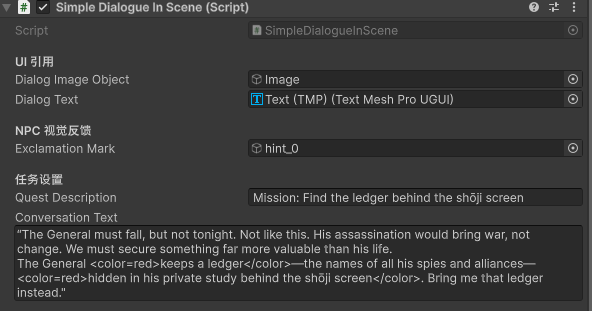
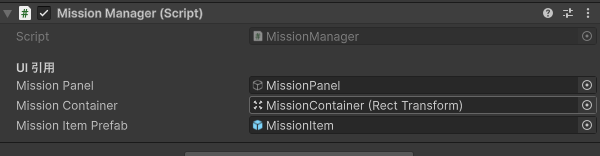
Why:
Instead of creating unique UI elements for every single quest, I developed a generic "Mission Card" prefab. The code now dynamically injects data (Title, Description, Objectives) into this prefab at runtime.
The Benefit:
This makes the system highly extensible. It’s a piece of "under-the-hood" architecture that allows me to add 10 or 100 missions later without writing a single new line of UI code.
Research and Precedents
I looked into common RPG design patterns, specifically how games like Stardew Valley or Skyrim manage "Active Quests" in the HUD. I wanted to emulate that feeling of clarity where the player always knows their next step without the screen feeling cluttered.
Feedback and User Testing
During a quick internal playtest, I noticed it was frustrating to re-trigger the same dialogue box when walking past an NPC after already accepting their quest. This feedback led directly to today’s logic update—making the "trigger object" aware of the mission state so it stays silent once the task is active.
Reflection and Next Steps
The biggest win today was the scalability. Building the "bottom layer" of the game is time-consuming, but I feel much better knowing the foundation is solid.
What didn't work: I initially struggled with the layout group in Unity's UI, as the prefabs were overlapping. I eventually fixed this by using a Vertical Layout Group with Content Size Fitter.
Next Steps: Now that the logic is there, I plan to work on a "Item-inventory" system.